

Hey there! As a supplier of metal mesh fencing, I often get asked whether our products affect Wi-Fi signals. It's a valid question, especially in today's tech-savvy world where a stable Wi-Fi connection is crucial. So, let's dive into this topic and find out if metal mesh fencing really messes with your Wi-Fi.
First off, let's understand how Wi-Fi signals work. Wi-Fi uses radio waves to transmit data between devices like your phone, laptop, and router. These radio waves operate on specific frequencies, typically in the 2.4 GHz and 5 GHz bands. The strength and quality of your Wi-Fi signal depend on several factors, including the distance between your device and the router, the presence of obstacles, and interference from other electronic devices.
Now, let's talk about metal mesh fencing. Metal is a conductor of electricity, and it can have an impact on radio waves. When radio waves encounter a metal object, they can be reflected, absorbed, or scattered. This means that if you have a metal mesh fence near your Wi-Fi router or device, it could potentially interfere with the signal.
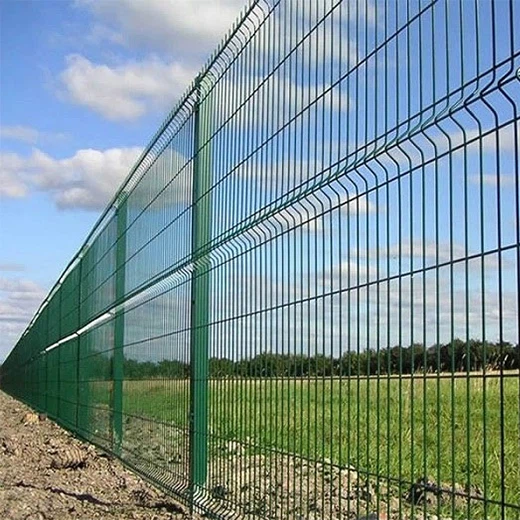

But here's the thing: not all metal mesh fencing is created equal. The impact on Wi-Fi signals depends on several factors, such as the type of metal, the thickness of the mesh, and the size of the openings. For example, a solid metal fence would block Wi-Fi signals more effectively than a mesh fence with large openings.
Let's take a closer look at the different types of metal mesh fencing we offer. We have Coated Welded Wire Fencing, which is made of welded wire that's coated with a protective layer. This type of fencing is durable and corrosion-resistant, but it may have a slightly higher impact on Wi-Fi signals compared to other types of mesh fencing.
Another option is Metal Welded-Wire Fencing, which is made of welded wire without a coating. This type of fencing is more affordable and has a more open design, which means it may have less of an impact on Wi-Fi signals.
Finally, we have Metal Mesh Fencing, which is made of woven or welded wire in a variety of patterns and sizes. This type of fencing is versatile and can be customized to meet your specific needs. The impact on Wi-Fi signals will depend on the specific design and construction of the fence.
So, does metal mesh fencing affect Wi-Fi signals? The answer is: it depends. In general, metal mesh fencing can have some impact on Wi-Fi signals, but the extent of the impact will depend on several factors. If you're concerned about Wi-Fi interference, there are a few things you can do.
First, you can try positioning your Wi-Fi router away from the fence. This will help reduce the amount of interference and improve the signal strength. You can also try adjusting the position of your devices or using a Wi-Fi extender to boost the signal.
Another option is to choose a metal mesh fencing with a more open design. This will allow the Wi-Fi signals to pass through more easily and reduce the impact of interference. You can also consider using a non-metallic fencing material, such as wood or vinyl, if Wi-Fi interference is a major concern.
In conclusion, while metal mesh fencing can have some impact on Wi-Fi signals, it's not necessarily a deal-breaker. By understanding the factors that affect Wi-Fi interference and taking some simple steps to minimize it, you can enjoy the benefits of a durable and stylish fence without sacrificing your Wi-Fi connection.
If you're interested in learning more about our metal mesh fencing products or have any questions about Wi-Fi interference, please don't hesitate to reach out. We're here to help you find the right fencing solution for your needs.
References:
- Wi-Fi Alliance. (n.d.). How Wi-Fi Works. Retrieved from https://www.wi-fi.org/discover-wi-fi/how-wi-fi-works
- Federal Communications Commission. (n.d.). Wi-Fi Technology. Retrieved from https://www.fcc.gov/wireless/bureau-divisions/mobility-division/wi-fi-technology